


WHY Kushwaha Computer Expert ?

Peace of Mind
Our experts offer guarantees for workmanship, authenticity of repairs and spares, and permanence and longevity of technical solutions. Contact us at +91 98733 96555.
Business User

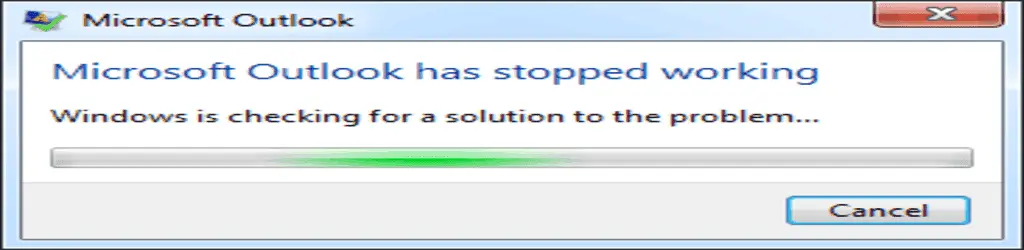
Outlook Has Stopped Working
Outlook Has Stopped Working: How To Fix Error Fast
If Outlook has suddenly stopped working altogether, it could be due to various reasons. Here's a step-by-step guide to help you troubleshoot and fix the issue:
Check for system updates:
- Ensure that your operating system is up-to-date. Install any pending updates and restart your computer.
Restart Outlook in Safe Mode:
- Hold down the Ctrl key and then click on the Outlook shortcut to start it in Safe Mode. This disables any add-ins that might be causing issues.
Check for Outlook updates:
- Open Outlook if possible and navigate to File > Office Account > Update Options > Update Now to check for and install any available updates.
Repair Office Installation:
- Open the Control Panel and go to Programs > Programs and Features.
- Find Microsoft Office in the list, right-click on it, and select Change.
- Choose Repair and follow the on-screen instructions to repair your office installation.
Check for corrupted Outlook data files:
- Outlook data files (PST and OST) can sometimes get corrupted, causing Outlook to stop working. Use the Inbox Repair Tool (scanpst.exe) to repair corrupted PST files. You can find this tool in the following locations, depending on your Outlook version and installation:
- For Outlook 2019, 2016, and 2013: C:\Program Files (x86)\Microsoft Office\root\OfficeXX
- For Outlook 2010: C:\Program Files (x86)\Microsoft Office\Office14
- Run the tool and follow the prompts to repair your Outlook data files.
Create a New Outlook Profile:
- Sometimes, a corrupted Outlook profile can cause Outlook to stop working. Create a new Outlook profile and configure your email account(s) in it. You can do this through the Control Panel > Mail > Show Profiles.
Check for Conflicting Software:
- Some third-party software or antivirus programs can interfere with Outlook. Temporarily disable any such software and see if Outlook starts working again.
Check Event Viewer for Errors:
- Open Event Viewer (you can search for it in the Start menu) and navigate to Windows Logs > Application.
- Look for any error messages related to Outlook that might provide clues about what's causing the issue.
Reinstall Outlook:
- If none of the above steps work, consider uninstalling and reinstalling Outlook. Before doing so, ensure that you have a backup of your Outlook data.
If Outlook still doesn't start after following these steps, it might be best to contact Microsoft support for further assistance, as there could be deeper issues with your system or Outlook installation.
So get in touch with us through our toll specialist contact number, and we will be happy to assist you 14 hours a day, 7 days a week.
Contact us at +91 9873 396 555 for Microsoft Outlook has stopped working near me by our certified engineer.
How It Works

Download FREE !!!
Kushwaha Computer Tech BuddyQuick solution to all your problems
Click > Connect > Relax


